


In our last article, we established the golden rule of AI: Garbage In, Garbage Out. You now know why you’ve been getting useless, generic results from tools like ChatGPT. It’s not the AI’s fault; it’s just been waiting for better instructions.
Today, we’re handing you the keys to the kingdom.
This isn’t theory; it’s a simple, repeatable 5-step framework you can use every single time you open an AI tool to get a great first draft. Think of it like a recipe for a perfect cake or a clear project brief for a new employee. This is your recipe card for getting real results and saving a heck of a lot of time.
The TCREI Framework: Your Playbook for Perfect Prompts

To make this easy to remember, we call it the TCREI Framework. It’s pronounced “tee-cree,” and it stands for Task, Context, Reference, Evaluate, and Iterate.
Let’s break down each step.
Step 1: Specify the TASK (Tell the AI What to Do)

The foundation of every good prompt is a clear, direct command. Don’t be vague. Start your prompt with a strong action verb that tells the AI exactly what you want it to produce.
Business Impact: A clear task prevents wasted time and computational effort on irrelevant or poorly formatted outputs.
A great task has three key parts:
- The Action: What do you want it to do? (e.g., Write, Summarize, Create a list of, Analyze, Translate).
- The Persona: Who should the AI be? This is the fastest way to control the tone. Always start with “Act as a…”.
- Example Personas: “a witty social media manager,” “an expert financial analyst,” “a helpful and empathetic customer service representative,” “a professional technical writer.”
- The Format: How should the output look? Be specific. (e.g., “…in a bulleted list.” “…as a three-paragraph email.” “…in a table with two columns, ‘Feature’ and ‘Benefit’.”).
Let’s see it in action:
- Before (Bad Task): “Social media post”
- After (Good Task): “Act as a friendly local hardware store owner. Create a short Instagram post in a bulleted list format.”
Right away, the AI has a much clearer picture of what you want. But we’re just getting started.
Step 2: Provide CONTEXT (Give It Your Business’s “Secret Sauce”)

This is the most critical step. This is where you inject the details that make the content unique to your business. Context is what turns a generic response into a personalized first draft that actually sounds like you.
Business Impact: Context protects your brand identity and ensures the AI’s output is relevant to your specific market and customers.
Here’s the key context you should always try to include:
- The Audience: Who is this for? (“This post is for new homeowners in Kelowna who are new to gardening.”)
- The Goal: What’s the business objective? (“The goal is to get them to visit our store this weekend for our big Spring Sale.”)
- Key Information: What specific details must be included? (“Mention our sale on vegetable starters and organic soil. The sale runs until Sunday.”)
- Brand Voice: What adjectives describe your tone? (“Use a helpful, encouraging, and slightly humorous tone.”)
Let’s evolve our example by adding this context:
"Act as a friendly local hardware store owner. Create a short Instagram post in a bulleted list format. This post is for new homeowners in Kelowna who are new to gardening. The goal is to get them to visit our store this weekend for our big Spring Sale. Mention our sale on vegetable starters and organic soil, which runs until Sunday. Use a helpful, encouraging, and slightly humorous tone."Step 3: Include REFERENCES (Show the AI What “Good” Looks Like)

This step is optional, but it’s a powerhouse for nailing your brand voice. It’s like giving your new employee an example of a past project that you absolutely loved. By showing the AI an example of your writing, you give it a clear target to aim for.
Business Impact: Using references dramatically speeds up the editing process by getting the tone and style right on the first try.
Simply find a short snippet of your own writing (from your website, a past email, etc.) and add it to the prompt.
Let’s add a reference to our evolving example:
"...Use a helpful, encouraging, and slightly humorous tone. Write it in a style similar to this example: 'Tired of that leaky faucet playing the drums at 3 AM? We've got the gear and the advice to make you a DIY hero. Come on down!'"Now, the AI has everything it needs to create a fantastic first draft.
Step 4: EVALUATE the Output (You’re Still the Boss)

Here’s a hard truth: the AI’s first response is a first draft, not a final product. Your expertise as the business owner is still the most important ingredient. Never copy and paste AI content without a critical review.
Business Impact: Evaluation ensures accuracy and quality control, protecting your business’s reputation and preventing the spread of incorrect information.
Use this simple 3-point checklist to evaluate every output:
- Is it Accurate? Did it get all the facts right? AI can sometimes “hallucinate” and make things up. Double-check any claims, stats, or prices.
- Is it Relevant? Did it follow all your instructions? Did it include the key information and target the right audience?
- Does it Sound Right? This is the most important one. Does it match your brand voice? Is this something you’d actually say to a customer? Read it out loud. If it sounds robotic, it needs a human touch.
Canadian AI Guy’s Pro Tip: Feeling stuck turning that “good enough” first draft into something great? That’s where we come in. Whether it’s a one-on-on consulting session to refine your marketing copy or a full training workshop for your team, we can help you bridge the gap and make your content shine.
Step 5: ITERATE for Better Results (Have a Conversation)

This is the magic step that most new users miss. If the first draft is close but not quite perfect, do not start a new chat. Just talk to it! You wouldn’t slam the door on an employee that didn’t give you a good first draft, you’d talk to them about how to make it better, right?
Just like you would a staff member, give it feedback and ask for revisions, just like you would with a human assistant.
Business Impact: Iteration turns a simple tool into a creative partner, allowing you to refine ideas and achieve a higher quality result than a single prompt ever could.
Your follow-up prompts can be simple and conversational:
- “That’s great, but can you make it shorter and add three relevant hashtags?”
- “I like the first point, but rewrite the second one to be more focused on affordability.”
- “Can you make the tone a bit more professional?”
The big mindset shift here is to think of it less like a vending machine (one prompt, one output) and more like a brainstorming partner. The back-and-forth is where the real magic happens.
Putting It All Together: TCREI in Action for Canadian Businesses

Theory is great, but let’s see how this framework looks in the real world for a few different businesses.
Example 1: For a Local Restaurant
TASK: "Act as the social media manager for a farm-to-table restaurant in Niagara-on-the-Lake. Create a descriptive and enticing Instagram post."

CONTEXT: "The post is for foodies and tourists aged 30-55. The goal is to drive reservations for our new fall menu. Mention our feature dish: Pan-Seared Scallops with butternut squash risotto and a maple-balsamic glaze. The tone should be elegant, warm, and passionate about local ingredients."

REFERENCE: "Write it in a style like this: 'Sun-kissed tomatoes, fresh-picked basil, and a passion for simple, beautiful food. That's our philosophy in every dish.'"
Example 2: For a Financial Advisor
TASK: "Act as a professional and trustworthy financial advisor in Calgary. Write a short, three-paragraph email for my client newsletter."

CONTEXT: "The email is for my existing clients, mostly professionals and pre-retirees aged 45-65. The goal is to educate them about the benefits of a TFSA without being salesy. Keep the language simple and avoid jargon. The tone should be knowledgeable, reassuring, and conservative."

ITERATION (Follow-up): "That's a good start. Can you add a sentence that mentions the new contribution limit for this year?"
Example 3: For a Renovation Contractor
TASK: "Act as a friendly and organized project manager for a home renovation company. Write a clear, concise follow-up email to a client."

CONTEXT: "The client is the Smith family, and we just finished their kitchen renovation. The goal is to thank them for their business, confirm the project is complete, and gently ask for a review. Mention how much we enjoyed working on their beautiful new kitchen island. The tone should be professional, appreciative, and not pushy."
Bonus: 3 Common Prompting Pitfalls to Avoid
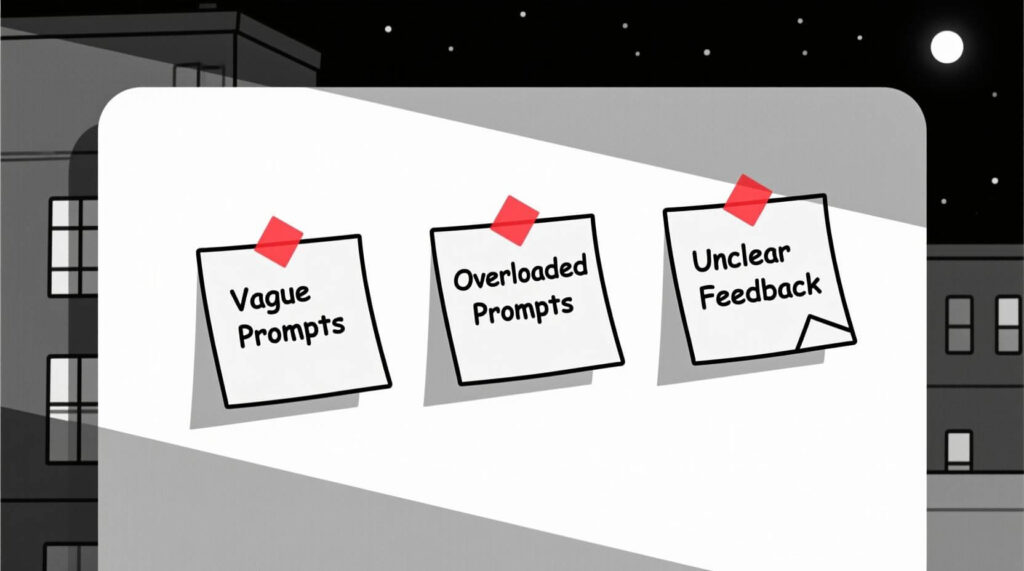
Even with the TCREI framework, it’s easy to fall into a few common traps. Keep an eye out for these:
- Being Too Vague: A prompt like “Write about marketing” is a recipe for a generic, useless essay. Get specific! “Write three marketing ideas for a dog walking business in Vancouver targeting busy professionals.”
- Asking Too Much at Once: Don’t cram multiple requests into one prompt. Asking the AI to “Write a blog post, then create 5 social media posts from it, and also write a promotional email” will often confuse it and lead to a poor result for all three tasks. Handle each task in a separate prompt for the best results.
- Using Ambiguous Feedback: When you iterate (Step 5), telling the AI to “make it better” doesn’t help. It doesn’t know what “better” means to you. Be specific with your feedback: “Make it shorter,” “Use simpler language,” “Add more bullet points.”
You Now Have the Playbook

That’s it. That’s the entire framework. It demystifies the process and puts you back in the driver’s seat.
- Task
- Context
- Reference
- Evaluate
- Iterate
It’s not about being a tech expert; it’s about being a clear communicator—a skill every successful business owner already has.
Your First Prompt Challenge: This week, pick one small, repetitive writing task in your business—it could be a follow-up email, a weekly social media post, or a product description. Before you write it yourself, build a prompt for it using the 5-step TCREI framework. See how close the AI gets on the first try.
Start using this 5-step framework on your very next prompt. You’ll be amazed at the difference it makes. Now that you have the playbook, in our next article, we’re giving you 7 Time-Saving AI Prompts Every Canadian Small Business Should Steal to help you get started even faster.
Frequently Asked Questions (FAQ)
1. What is a good framework for writing AI prompts?
A great, easy-to-remember framework is TCREI: Task (what to do), Context (the key details), Reference (examples of your style), Evaluate (review the draft), and Iterate (ask for changes). This covers all the bases for getting a high-quality result.
2. How can I make my ChatGPT prompts more specific?
The best way to be more specific is by adding rich Context. Tell the AI who the audience is, what the goal of the content is, and what key information or specific details must be included. The more details you provide, the more specific the output will be.
3. What is the most important part of writing a good AI prompt?
While all steps are important, providing clear Context (Step 2) is arguably the most crucial. Without context about your specific business, audience, and goals, even the clearest task will result in a generic answer.
4. How do I give an AI a “persona” to write from?
It’s as simple as starting your prompt with the phrase “Act as a…”. For example: “Act as a knowledgeable and friendly sommelier,” or “Act as an enthusiastic and motivational personal trainer.” This immediately sets the tone and style for the entire response.
5. What does it mean to “iterate” on an AI prompt?
Iterating means refining the AI’s output through conversation. Instead of starting a new prompt from scratch, you provide feedback on the first draft with follow-up commands like “make it shorter,” “change the tone to be more formal,” or “rewrite the second paragraph to focus on this benefit.”
Share this:

Read more:

The 5-Minute AI Fix: Write Your Social Media Posts for the Entire Week

How to ‘Talk’ to AI: A Small Business Owner’s Guide to Better Conversations